NEN STUDIO › Plug-ins › M4LNine devices.
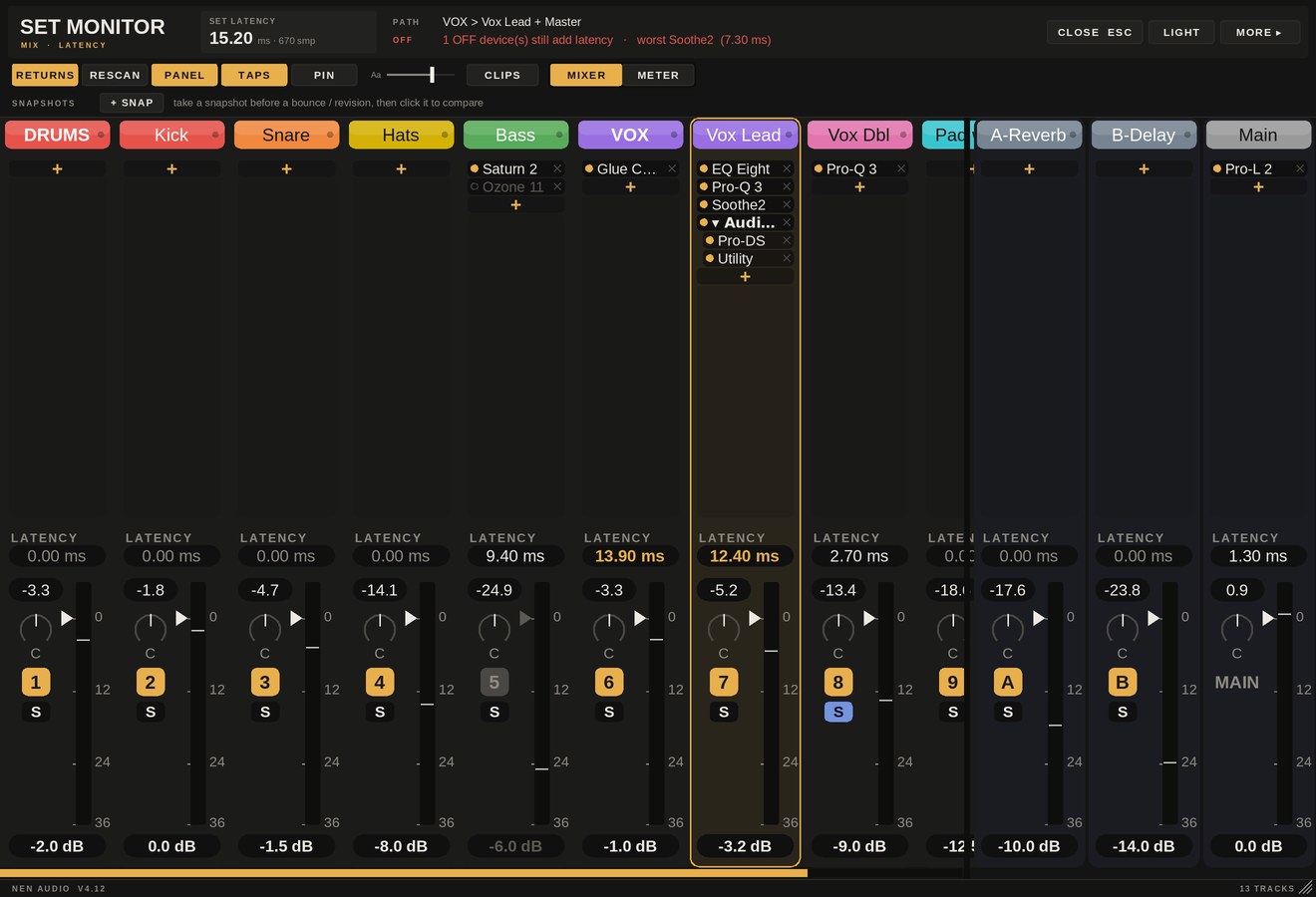
Buy Set Monitor$29- LATENCYSet latency, and who causes itWhole-set delay in ms and samples, with the slowest path and the plug-in behind it.
- MIXEREvery track in one windowTracks, groups and returns with inserts, fader, pan, mute and solo.
- METERFader and real level side by sideEach track shows its fader dB next to the level it actually plays at.
- ADDLoad a plug-in by nameType part of a name and press Return to put it on the track.
- SNAPSHOTCompare a mix, check loudnessSave the mix before a change and compare after. The main meter reads LUFS.
Try it first: Set Monitor Lite is free and shows the same window, view only. Set Monitor Lite →
- STRIPCut the near-silent partsRemoves the parts of a vocal clip you can barely hear, in place in Arrangement.
- THRESHOLDCut level and minimum gapThe level is set against the loudest part (−38 dB by default). Gaps under 250 ms stay.
- PRE / POSTRoom around each phraseKeeps 40 ms before each phrase and a 150 ms tail after it.
- BREATHKeep, duck or cut breathsDuck lowers breaths by 12 dB instead of removing them.
- TRACKSSeveral tracks, one undoRun it on many tracks at once. Undo last puts every clip back.

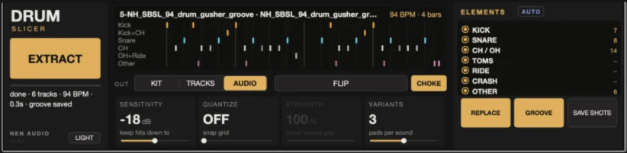
- EXTRACTEvery hit from a drum loopFinds each hit and cuts it from the original audio.
- GROUPSNamed by what playsEach slice is named for what sounds in it: Kick, Snare, Kick+Hat.
- OUTPUTKit, tracks or audioA Drum Rack with MIDI, separate tracks with MIDI, or separate audio tracks.
- FLIPSame hits, new patternRerolls the hits into a new pattern. Original brings the loop back.
- LOCALNothing leaves your computerIt runs inside Live and uploads nothing.
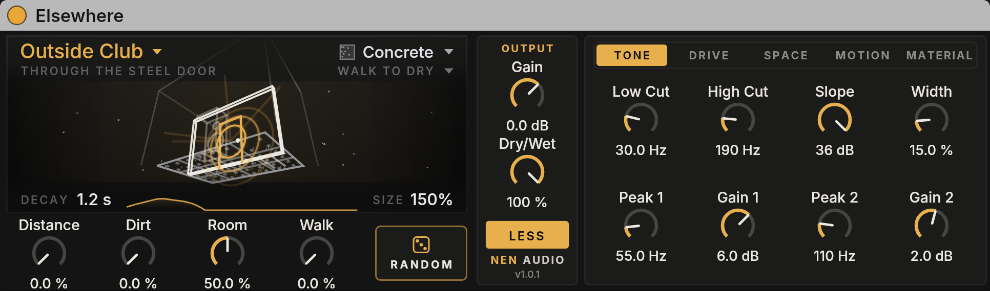
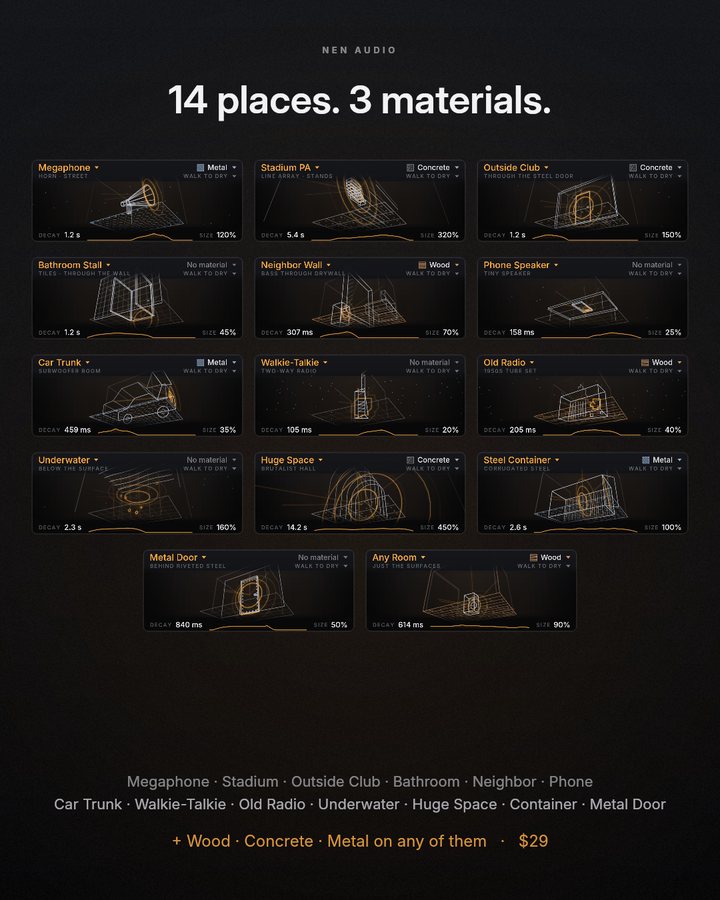
- PLACE14 places to put a soundOutside the club, a bathroom stall, a phone speaker, underwater, a megaphone, a huge space.
- MATERIALWood, concrete or metalThe material shapes the body of the sound, not only the reverb tail.
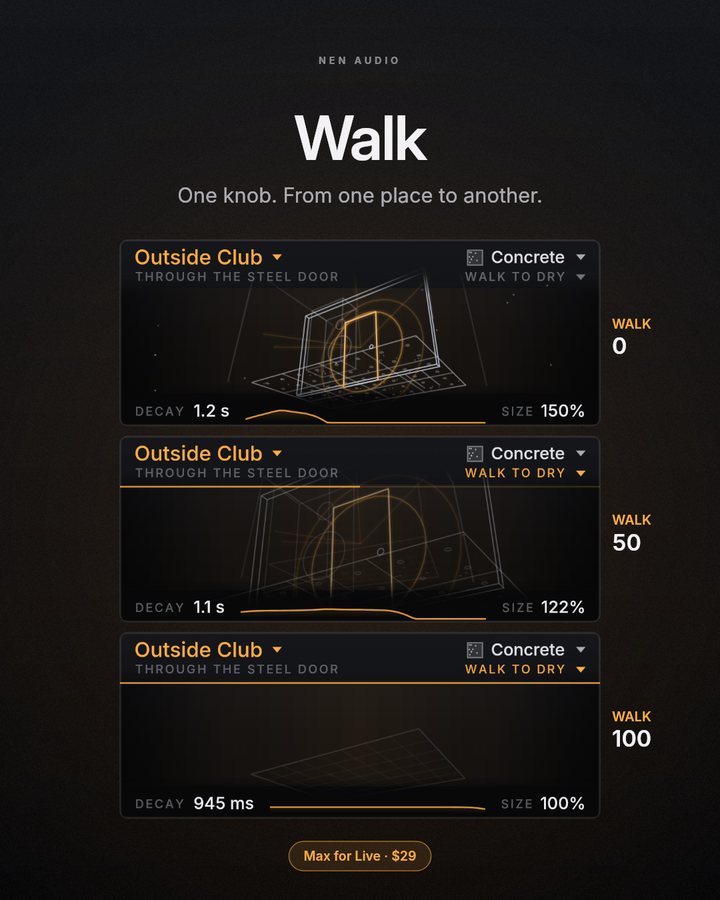
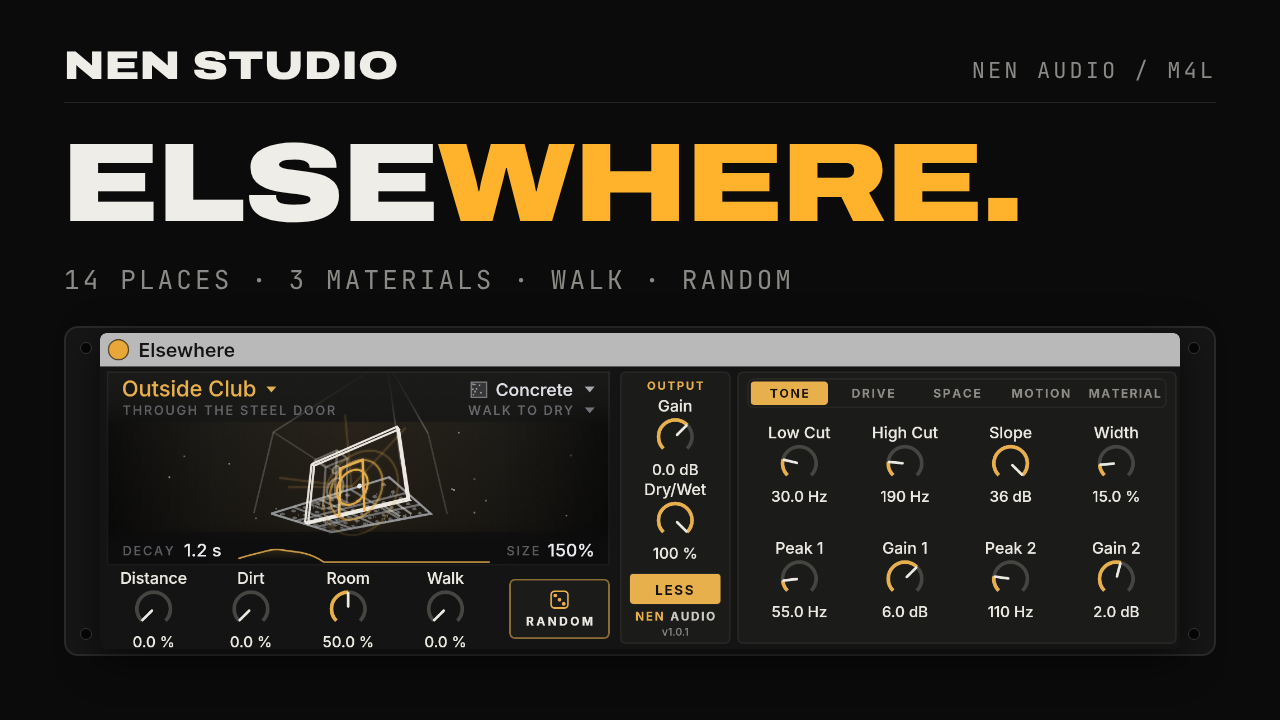
- WALKOne knob from here to therePick a second place and turn Walk. Automate it for transitions, like walking into the club.
- MACROSDistance, Dirt, Room, WalkFour knobs for the common moves. The display draws the room and moves with your audio.
- EDITEvery preset is a starting point39 parameters across Tone, Drive, Space, Motion and Material, all automatable.
- PADSEight time-bending padsStutter, Tape Stop, Half/Double, Reverse, Scratch, Gater, Pump and Shaper.
- CURVEPresets, and a curve you drawEvery pad has its own presets. Your drawing stays as Custom, even after you try others.
- CHAINChain them in any orderSwitch several pads on and drag the chips. Gater then Stutter is not Stutter then Gater.
- STEPSA step sequencer like GlitchOne lane per pad, Beats by Divisions, triplets included. Sample-accurate.
- PLAYMade for performanceEach pad has an on/off parameter to automate, MIDI-map or key-map. Hold or Latch.


Launch sale: 30% off with code NAMETAG30, until Dec 7, 2026.
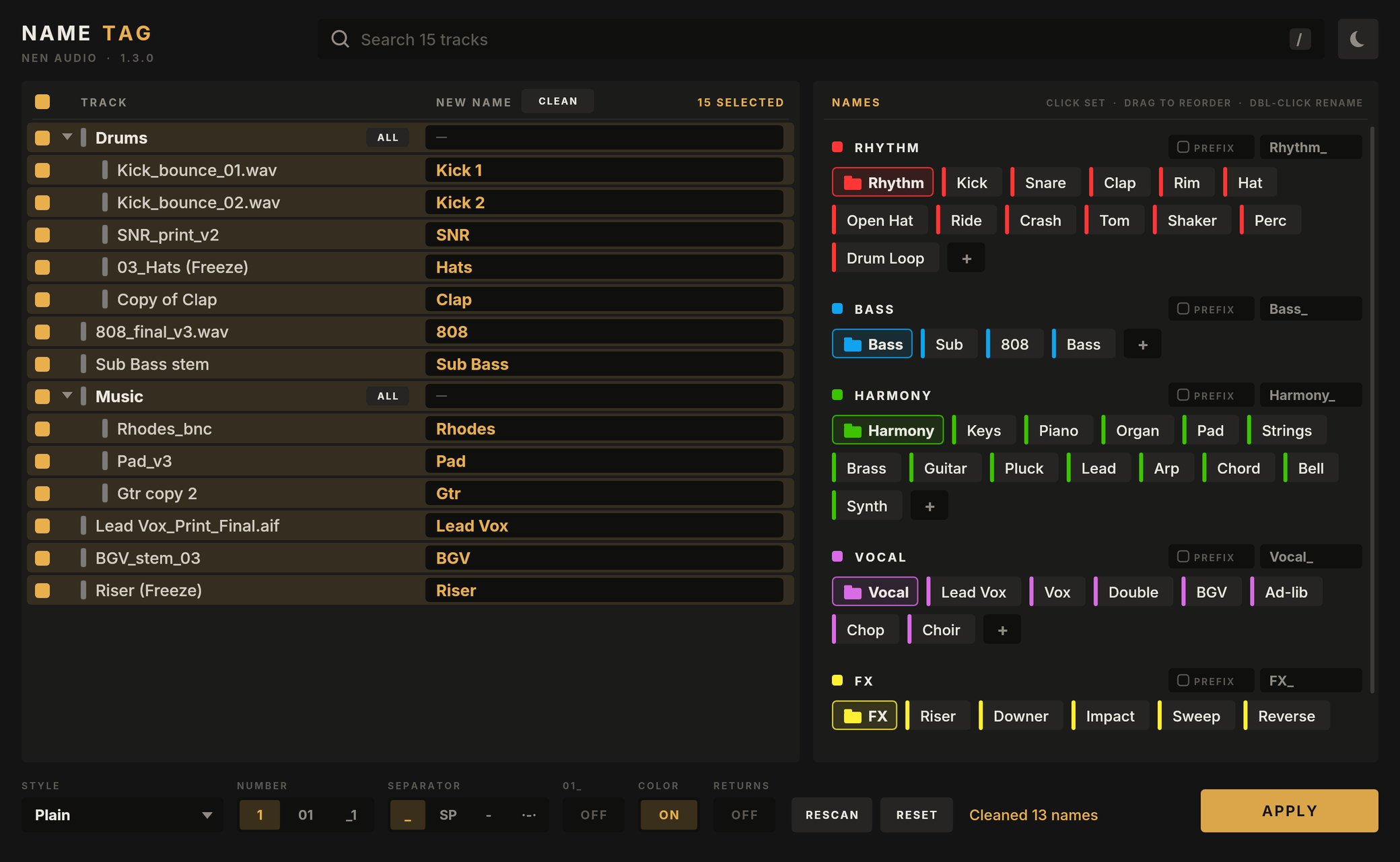
- CLEANClean bounce names in one clickCLEAN strips what bounced stems come with: .wav, bounce, print, freeze, copy, v2, trailing numbers. Kick_bounce_01.wav becomes Kick; 808 stays 808.
- NAMESSelect tracks, click a nameRhythm, Bass, Harmony, Vocal and FX lists ready to click. Add, rename, delete or drag to reorder; your list is kept for every set.
- NUMBERKick 1, Kick 2, your styleSame names get numbers in track order. Turn on a prefix per group, like d_Kick or B_808, and pick the separator.
- COLORColors, the moment you pickClick a track's color strip and pick from Live's 70 colors; it changes right away. Or let each group color its tracks on APPLY.
- APPLYPreview, then one undoSee every new name before APPLY. Names and colors change together, and one Cmd+Z undoes it all.
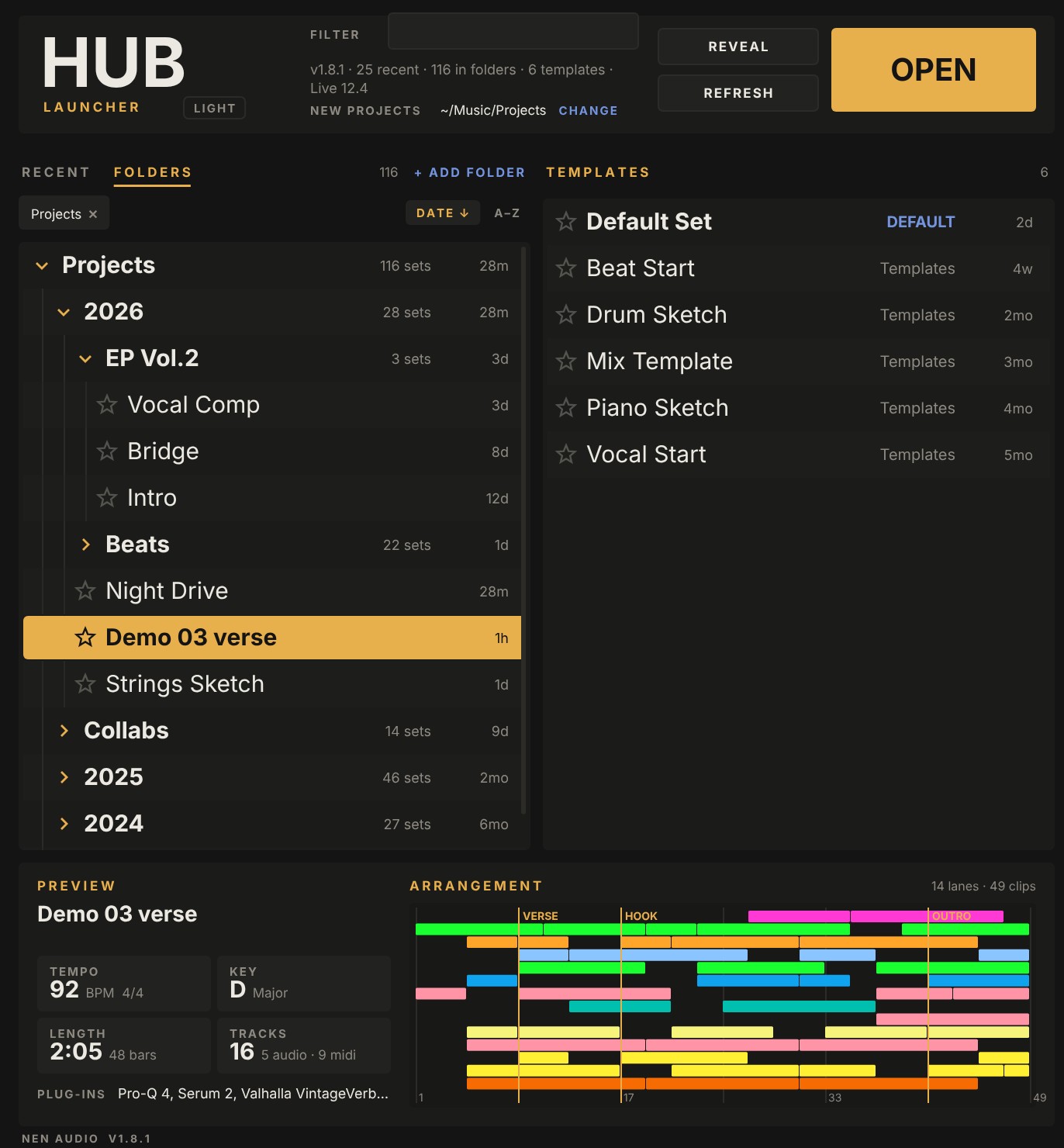
- RECENTYour recent setsThe last 25 sets Live remembers, newest first, with when each one changed.
- TEMPLATESEvery template in one listYour Templates folder, with your default template on top.
- FILTERType to find itOne search box filters both lists. Several words must all match.
- NEWStart from a copyPick a template and press New. HUB saves a copy and opens it, so the template stays untouched.
- REVEALShow it in FinderJump to a set's folder. Sets on an unplugged disk are dimmed and marked offline.
- STARTOpens when Live startsSave HUB in your Default Set and the window opens with Live and with every new set.
- PREVIEWSee a set before you open itClick a set: tempo, key, length, tracks, plug-ins and a small map of the arrangement in its clip colors.
- KEYSKeyboard, all the wayArrow keys to pick, Return to open, Esc to close. Type a search and press Return to open the top result.
- THEMELight mode, dark modeOne button switches HUB and its side panels together, in NEN colors. Pin sets and templates with a star.
Needs Ableton Live 12 with Max for Live. macOS only for now. HUB reads Live's own files on your computer and uploads nothing. It checks once after loading whether a newer version exists; no personal information is sent. Manual (English, Korean, Japanese)
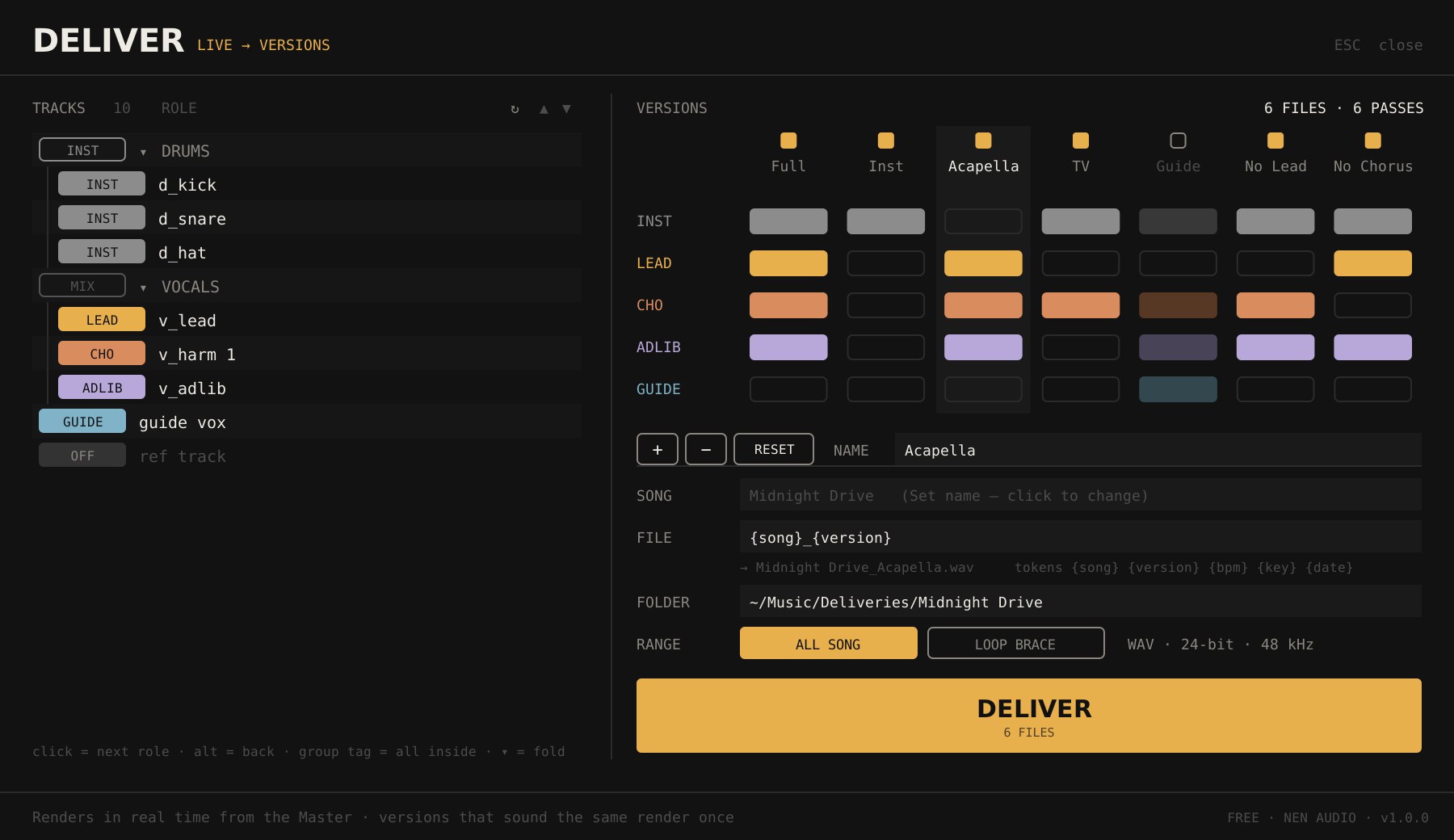
- ROLESTag each track onceClick a track: Inst, Lead, Chorus, Adlib, Guide or Off. Click a group to set every track inside it.
- VERSIONSFull, Inst, Acapella, TV and moreSeven versions to start with. Turn roles on and off per version, rename them, add up to ten.
- ONCESame sound, one passVersions that would sound the same are rendered once and saved under each name.
- MASTERThrough your master chainDeliver sits in the last slot of the Master, so every file goes through your limiter and bus processing.
- NAMESFiles named for youThe song name comes from your Set. Build the file name from {song} {version} {bpm} {key} {date}.
- WAV24-bit WAV, put back afterRenders in real time at your Set's sample rate. Mutes, solos, loop and metronome go back to how they were.
Needs Ableton Live 12 with Max for Live. Tested on macOS. Deliver uploads nothing. It checks once after loading whether a newer version exists; no personal information is sent.
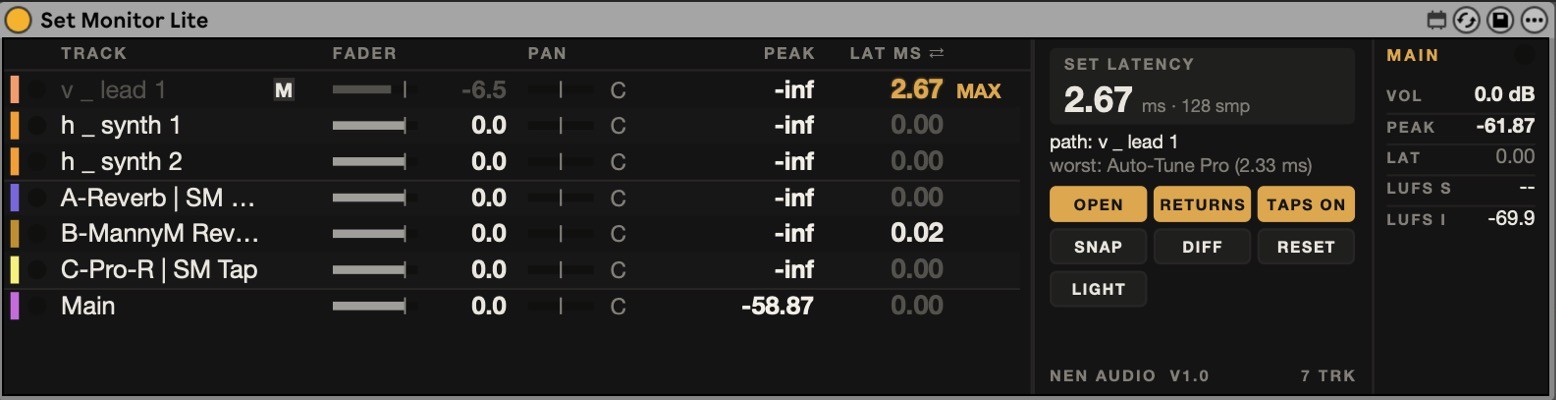
- VIEWSet Monitor, view onlyThe same window: every track, group and return with inserts, fader, pan, mute and solo, to look at.
- LATENCYSet latency, and who causes itWhole-set delay in ms and samples, with the slowest path and the plug-in behind it.
- METERFader and real level side by sideEach track shows its fader dB next to the level it actually plays at.
- FULLEditing is in Set MonitorMove faders and pans, change inserts and colors, load plug-ins by name and compare mixes in Set Monitor, $29.
Needs Ableton Live 12 with Max for Live. Free on Gumroad (enter $0). It checks once after loading whether a newer version exists; no personal information is sent. Set Monitor →
BundlesBuy them together.
The same files as the single devices, for less.
 Buy the bundle
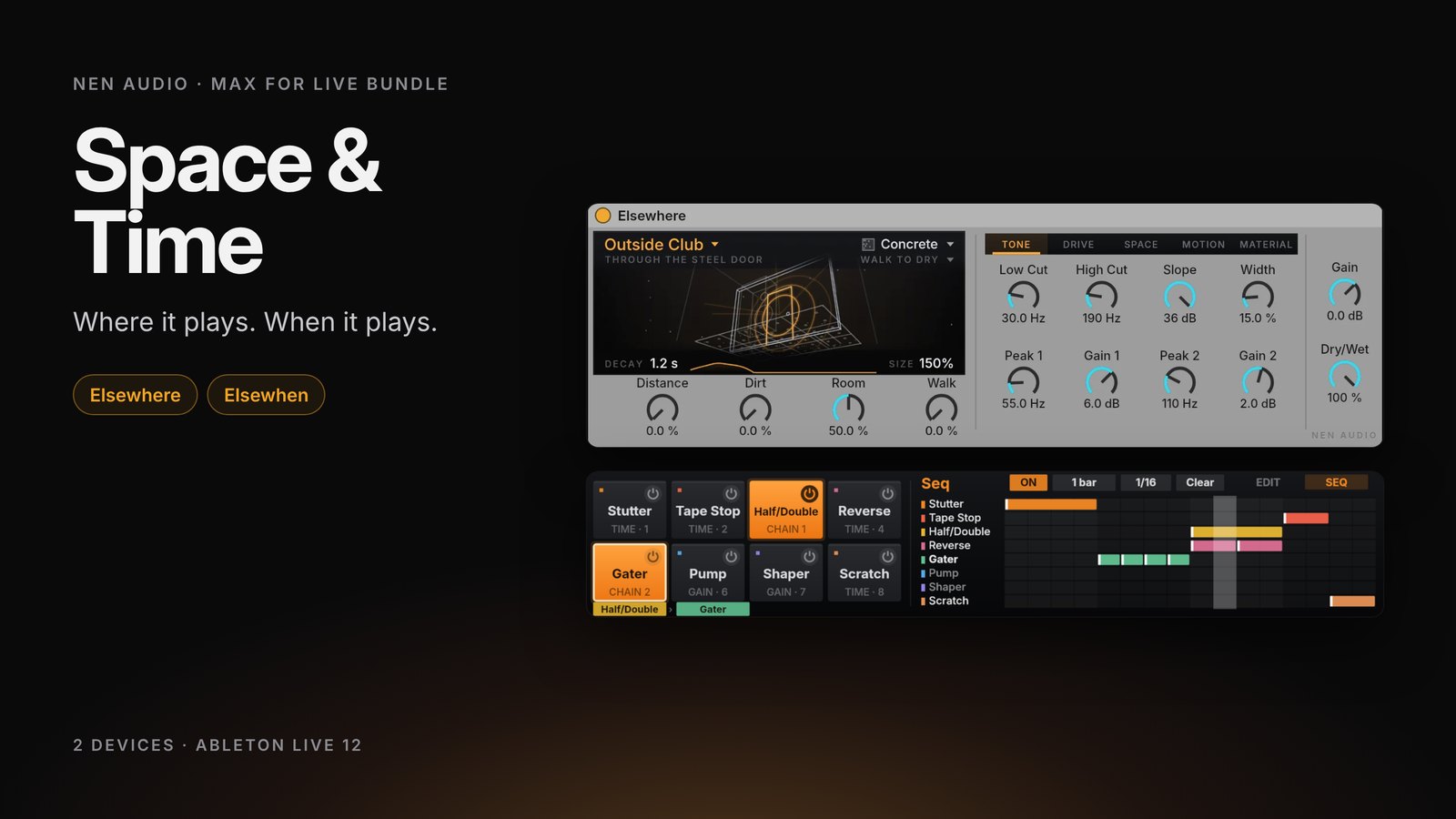
Space & Time
Elsewhere + Elsewhen
Where a sound plays, and when.
$39
$48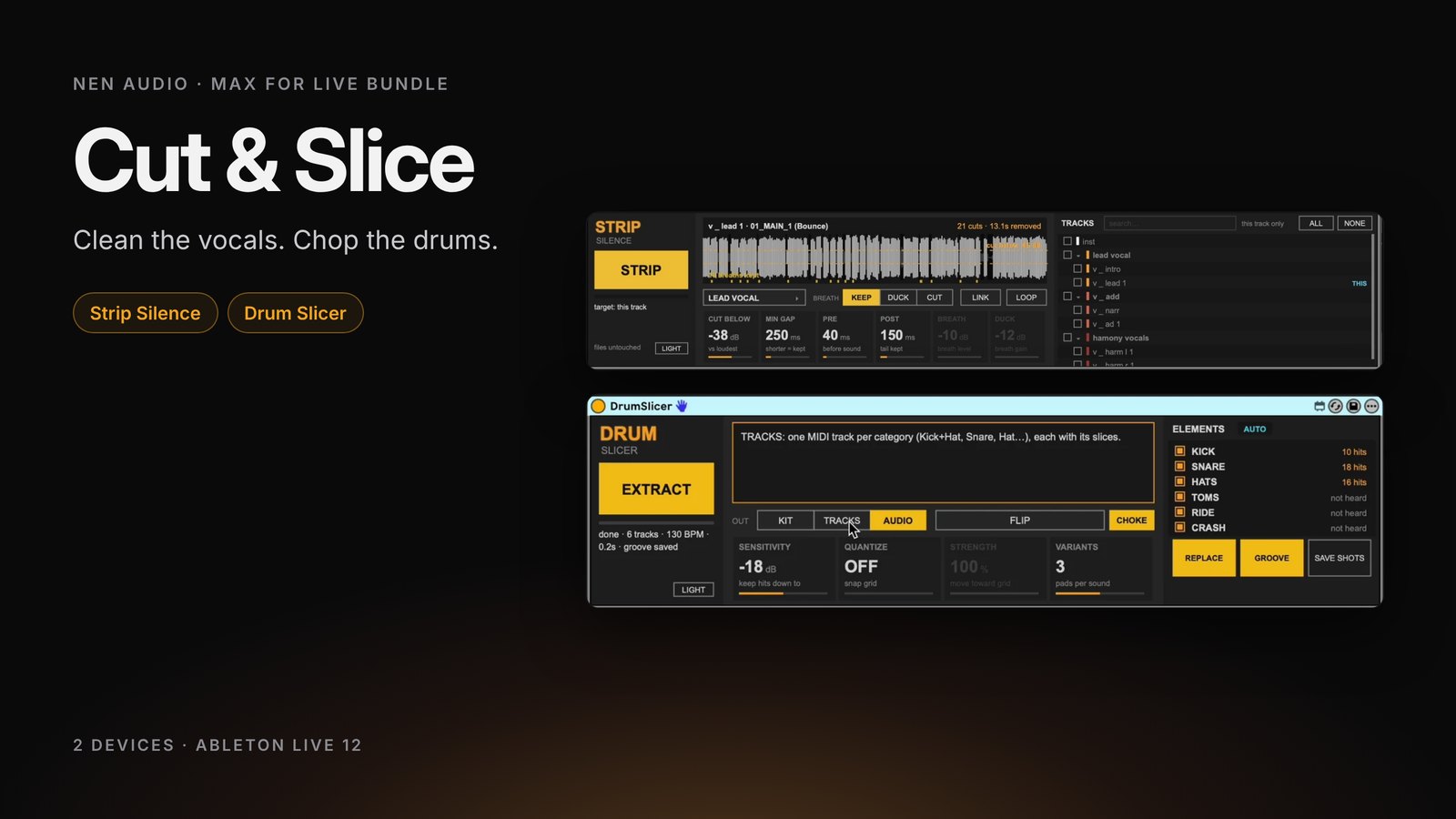 Buy the bundle
Cut & Slice
Strip Silence + Drum Slicer
Clean the vocals. Chop the drums.
$39
$48 Buy the bundle
NEN Complete
Set Monitor + Elsewhere + Elsewhen + Strip Silence + Drum Slicer
5 devices in one bundle.
$79
$125